Cheese Paper
Cheese Paper is a text editor for writing long form prose, particularly fiction. Cheese Paper attempts to have metadata (especially notes and summaries) tied to individual scenes (or other objects). Unlike any other text editors, Cheese Paper does this while retaining a simple file format that can be easily synced and meaningfully modified outside the editor, including being reasonable to edit by hand on a phone.
The underlying text is all Markdown, so the file format is simple. Metadata is added to the underlying format in a TOML header, also simple and easy to edit. Any files created outside the editor are automatically read in and processed like any other files, even if some or all of the metadata is missing. It is entirely possible to create, edit, move, and delete files from another text editor, even your phone. Cheese Paper also plays nicely with syncing programs - if you sync the files on disk, it will happily load them.
Cheese Paper's home is on Codeberg, but also has an official GitHub mirror (at least for now). I am making no promises to keep up with GitHub in any way (although it might happen anyway).
Features
See your notes as you write
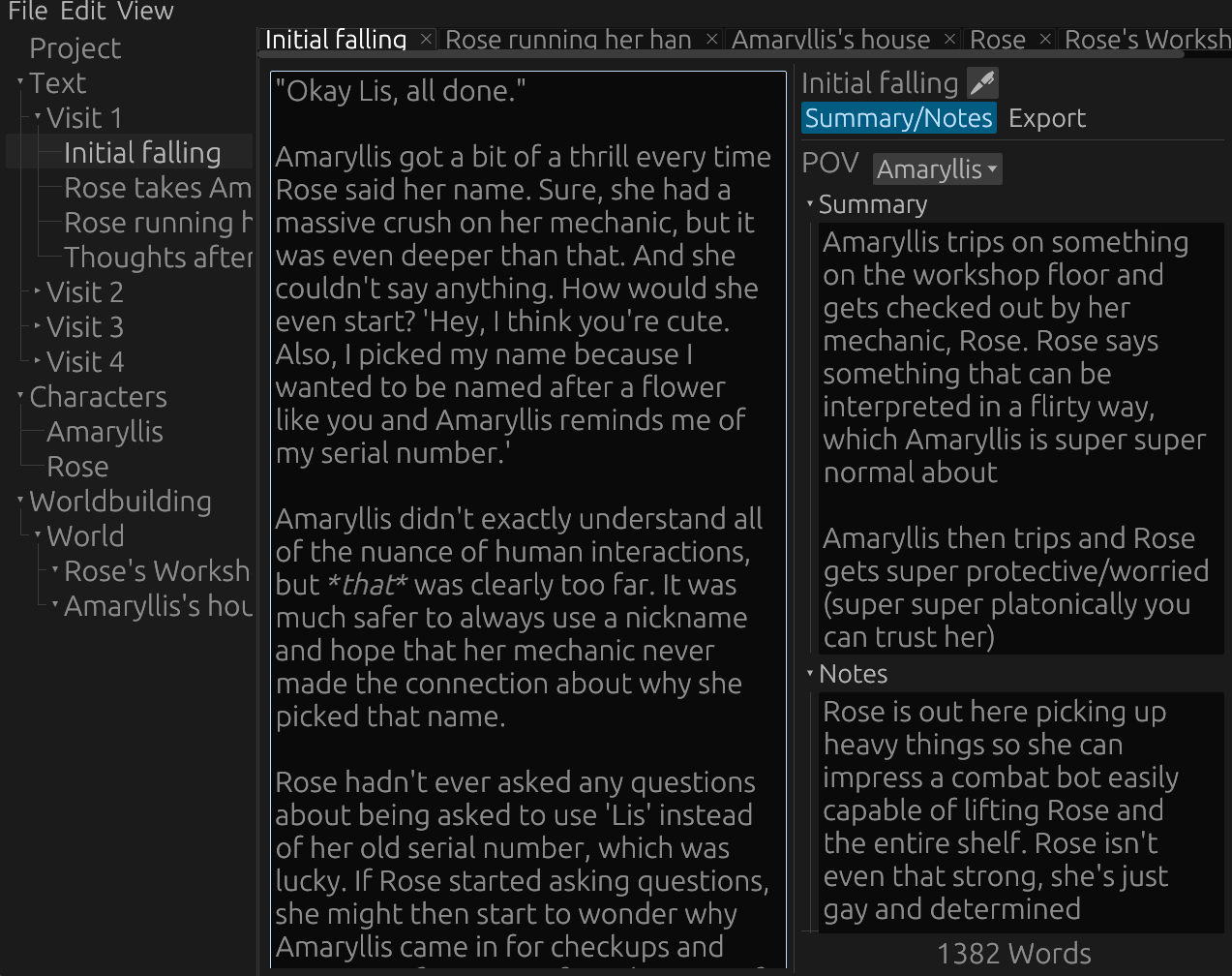
Cheese Paper keeps your notes visible as you're writing the scene. This can be used to jot down something for later, to plan our where a scene will go before writing, or to summarize a scene after you've written it to get a better high level overview of your story.
Set the colors how you want
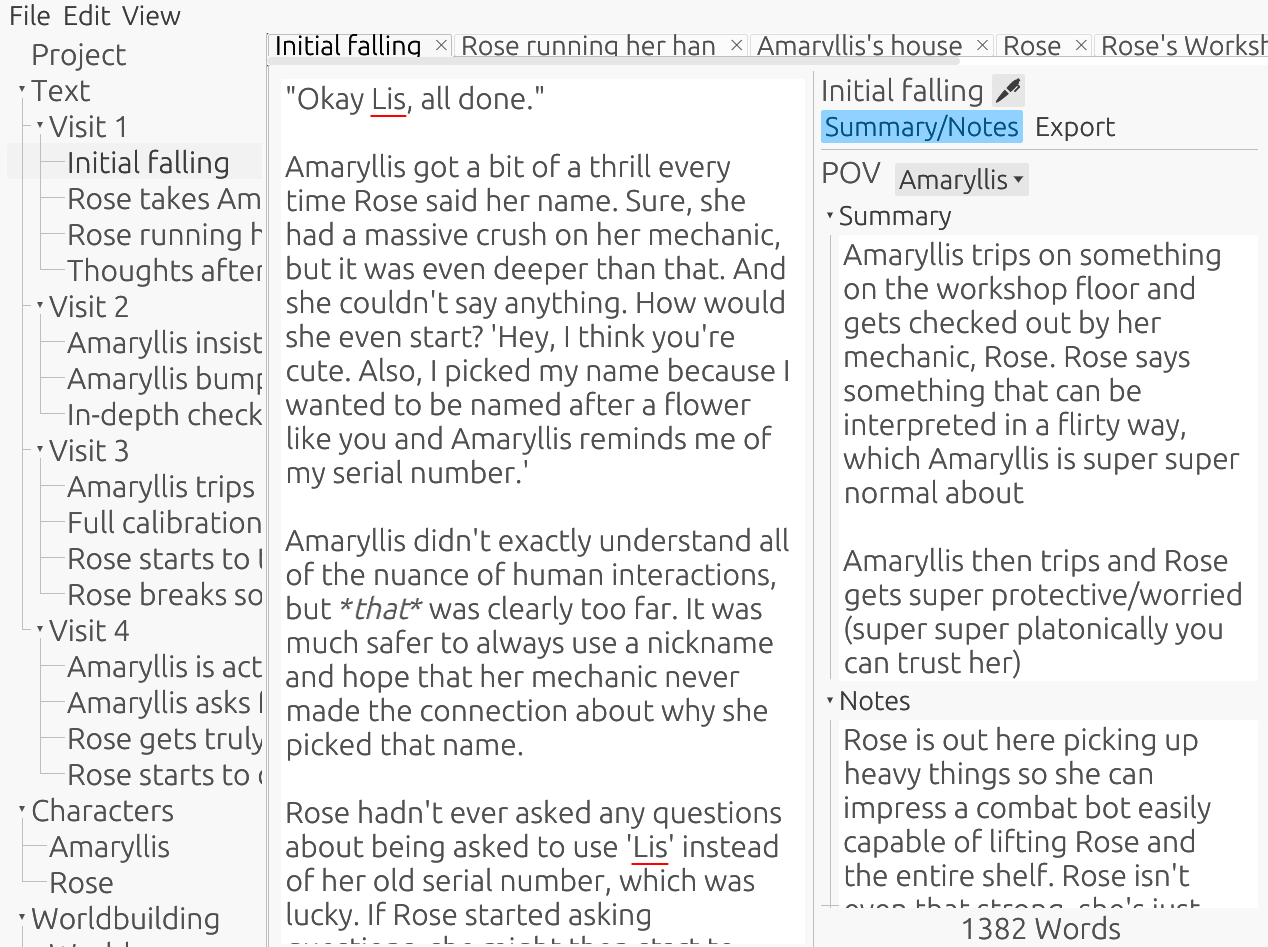
Cheese Paper comes with both a dark and light theme out of the box, and has the ability to customize nearly every color used in the editor.
Randomize your theme
Is the text too readable? Colors too pleasant? Not enough whimsy?
Thankfully, Cheese Paper has a solution: a button that randomizes every single color used in the theme. There is no coordination, no consistency, and no concern for contrast. If you restart Cheese Paper with this option selected, it will helpfully generate a new random theme. You can also save your randomized theme if you somehow generate one that looks somewhat okay.
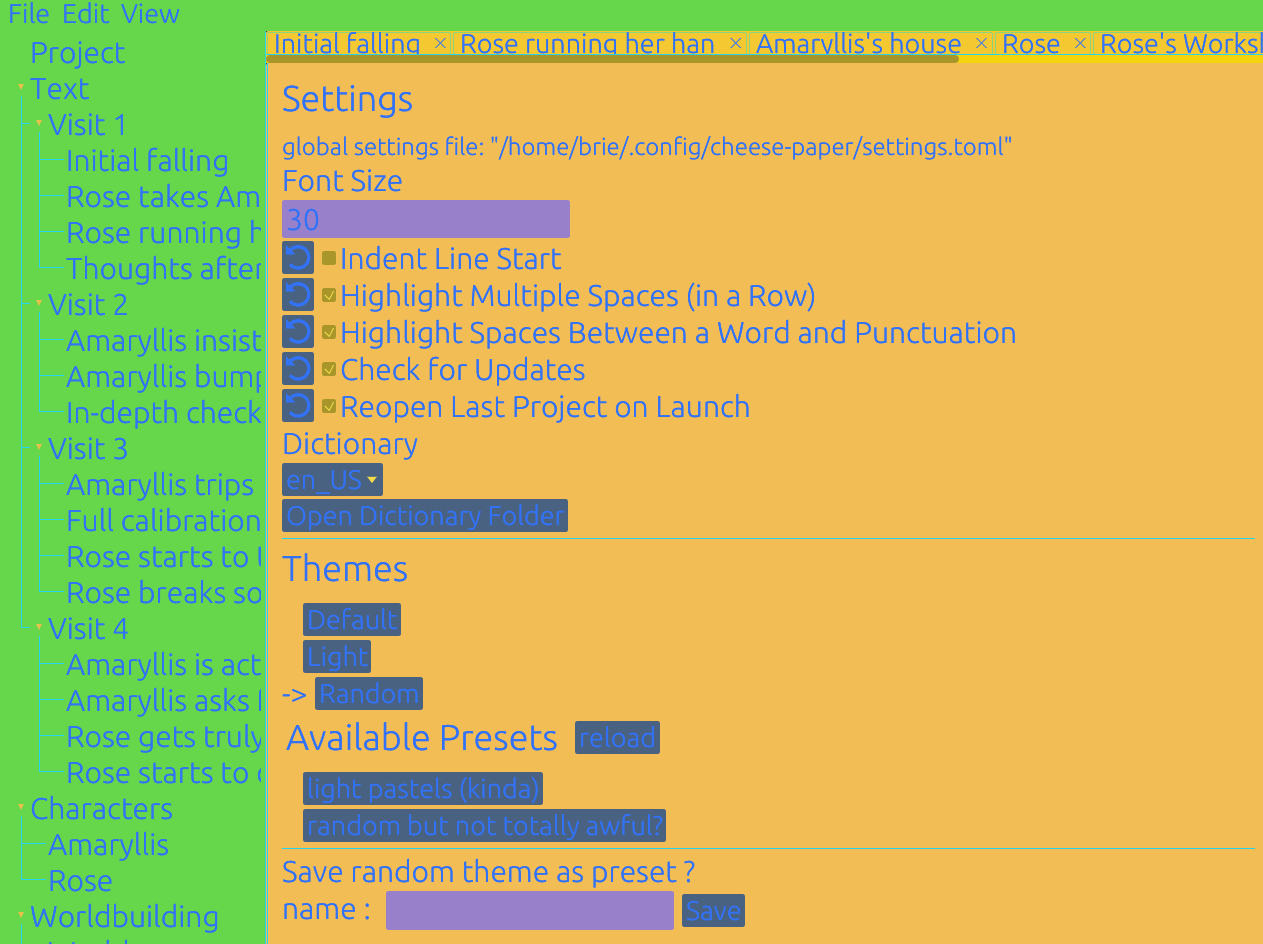
My roommate suggested this feature, then was horrified to find me actually using it while editing a story. You can also horrify others around you!
Characters
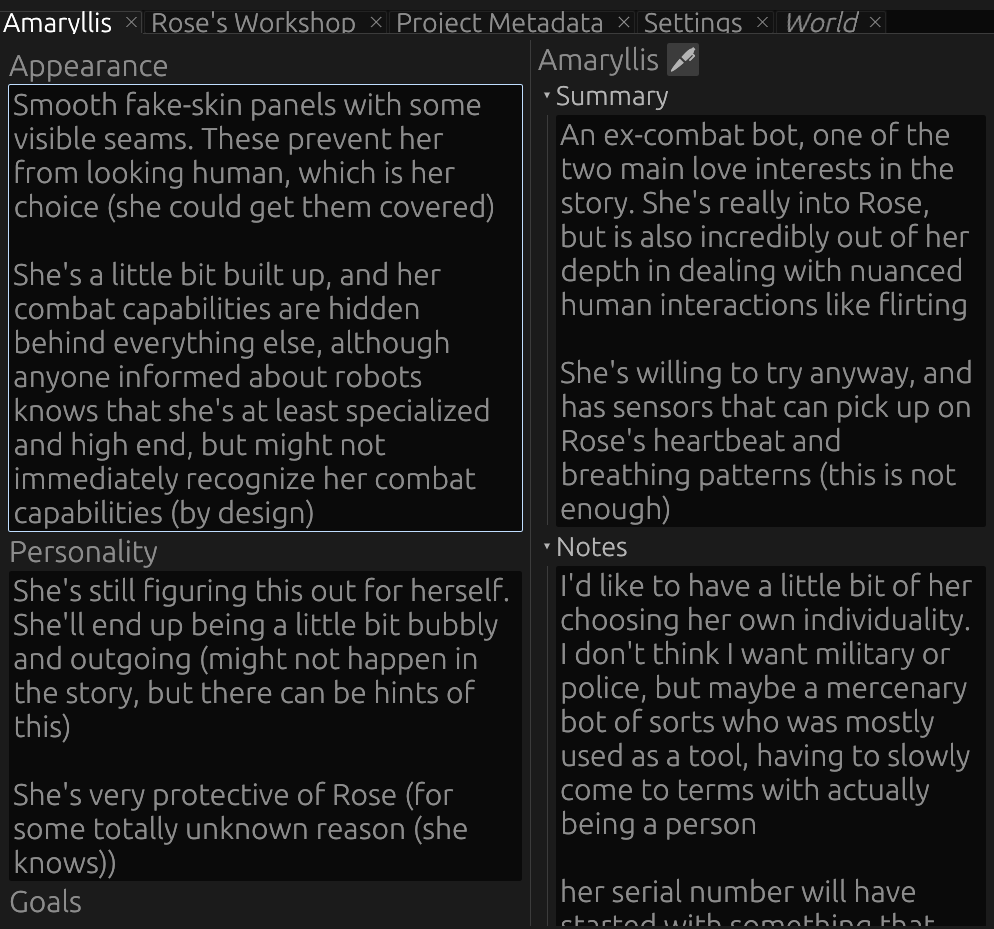
Characters are a handy place to fill out some information about who is in your story. It's easy to reference it in one place, and conveniently located on the sidebar below the story text. You can also set characters to be the POV of a scene.
Worldbuilding
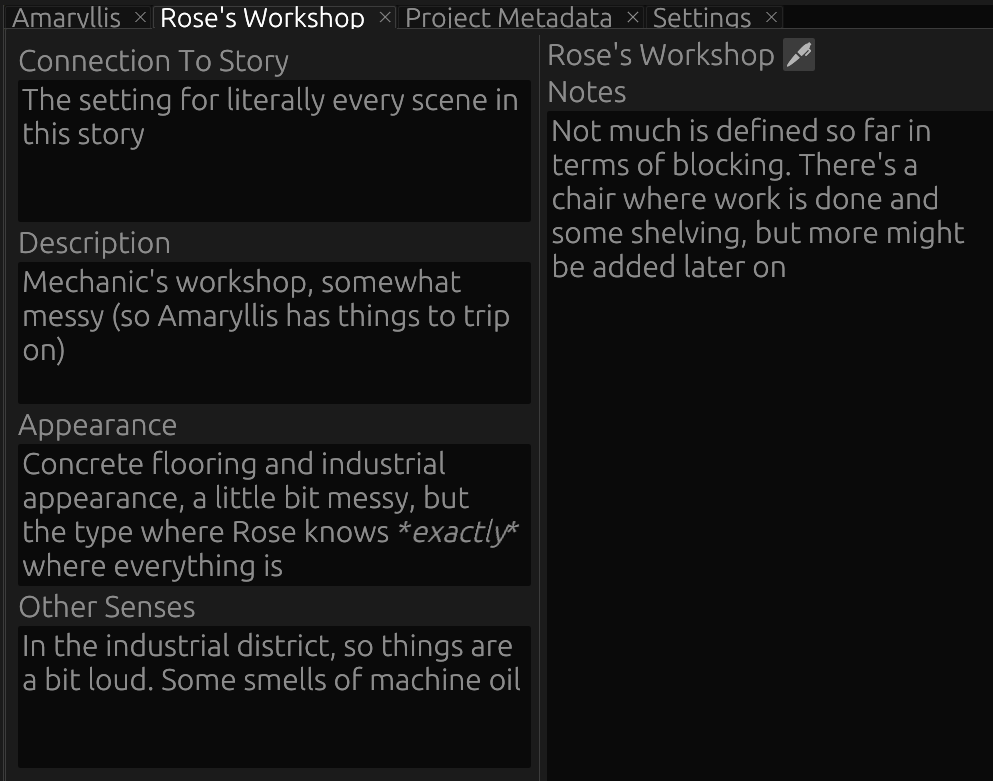
This is almost the same as characters, but for information about the world. This can be places, real or fictional, and as specific as desired. This could also be about organizations or magic systems in your world, if the plot/setting calls for that.
Outline Export
Cheese Paper projects split their contents over a lot of different files. This is wonderful for when you're trying to navigate around a larger project, especially outside of the editor, but makes it annoying to share a high level summary with someone else, particularly if that person is not lucky enough to also be using Cheese Paper. We have a solution, however: the outline export:
Robot with Frustrated Mechanic
Story Summary:
Robot girl who doesn't know how to talk to her cute mechanic, but has specialized hardware and software for dealing with collisions with large stationary objects
The mechanic is really confused why the combat bot keeps asking for the same maintenance that never finds anything wrong, but is too intimidated by how cool and hot the bot is to point it out. Or to ask how the bot keeps hitting these walls. The robot girl is clearly super calm so she must have a plan
Scenes
Visit 1
Notes:
This is almost definitely going to be more than one chapter in reality
Initial falling
Summary:
Amaryllis trips on something on the workshop floor and gets checked out by her mechanic, Rose. Rose says something that can be interpreted in a flirty way, which Amaryllis is super super normal about
Story Export
Cheese Paper combines all of the scenes (that have not explicitly been excluded) into a single file in the outline process. This produces a markdown file, which is then easily transformed into any file format you might desire. For the transformation, I highly recommend Pandoc, which has a fantastic online tool here. Pandoc is a great way to convert markdown to an epub, docx, html, or pdf.
(Side note: if you are distributing a book, please consider not just using PDFs. PDFs can be difficult for readers who need larger font sizes, particularly on smaller devices like phones)
Here is an example of some of the output:
Visit 1
“Okay Lis, all done.”
Amaryllis got a bit of a thrill every time Rose said her name. Sure, she had a massive crush on her mechanic, but it was even deeper than that. And she couldn’t say anything. How would she even start? ‘Hey, I think you’re cute. Also, I picked my name because I wanted to be named after a flower like you and Amaryllis reminds me of my serial number.’
Amaryllis didn’t exactly understand all of the nuance of human interactions, but that was clearly too far. It was much safer to always use a nickname and hope that her mechanic never made the connection about why she picked that name.
Installing
You can get the latest release on codeberg. On Windows and MacOS, installers are generally recommended for most users, but the portable versions are also available, although without default spellcheck or start menu/dock icons.
Compiling
This project uses git lfs to track the icon and dictionary files. If you have git lfs set up on your system, this should automatically work. Otherwise, the project will still work, but you will not be able to create release builds.
To pull these in later, type
git lfs install
git lfs pull
Once you have all of the files, just use cargo to build and run:
cargo build
cargo run
There are more complex commands to deal with packaging, but many of these are awful and complex and I don't think anyone else should suffer through that. If you also wish to suffer, look at the release workflow (but you brought this upon yourself)
Other
Comparisons to other projects
For more complete similar projects, check out Manuskript (FOSS) or Scrivener (closed source, paid). I've used both extensively, although neither of these quite met my use case, which is why Cheese Paper exists.
Obsidian is also often compared to Cheese Paper - it is wonderful for taking notes, but I did not find that it did what I wanted with keeping my chapter notes linked to my writing. If it had, I would also not have bothered writing Cheese Paper.
Cheese Paper is not a perfect project, nor is it capable of every use case. If you do not care about any of the features that Cheese Paper prioritizes, one of the other projects may be a better fit.
Rights/Ownership
Cheese Paper is an open source project, meaning that users are free to modify the code (and distribute it to other under the terms of the GPLv3, see the COPYING file for more information). We also have absolutely no claim to the rights surrounding anything produced in Cheese Paper.
Your Data/Privacy
Cheese Paper does not have any telemetry, and we do not ever intend to collect data about our user's writing. We do not want your data. Please keep it to yourself.
Cheese Paper makes exactly one network request: if checking for updates is enabled, on startup it fetches the latest version of Cheese Paper available on Codeberg. No network requests are sent if update checking is disabled.
AI
Cheese Paper was written by humans without the assistance of AI/LLM tools. There are various concerns around the ehtics, quality, and copyright status of AI created code, so please avoid submitting any code authored/assisted by LLMs.
Contributing
Cheese Paper welcomes contributions. If you are planning on making a larger change, especially one that is not already covered by an issue created by one of the main devs, please reach out (e.g., create an issue) before doing so -- there might be some other considerations, and I would feel bad if you did work that wasn't mergeable.
Missing feature? Need help? Found a bug?
Please try searching the issues, and then please feel free to open up a new one, providing as much detail as possible.